


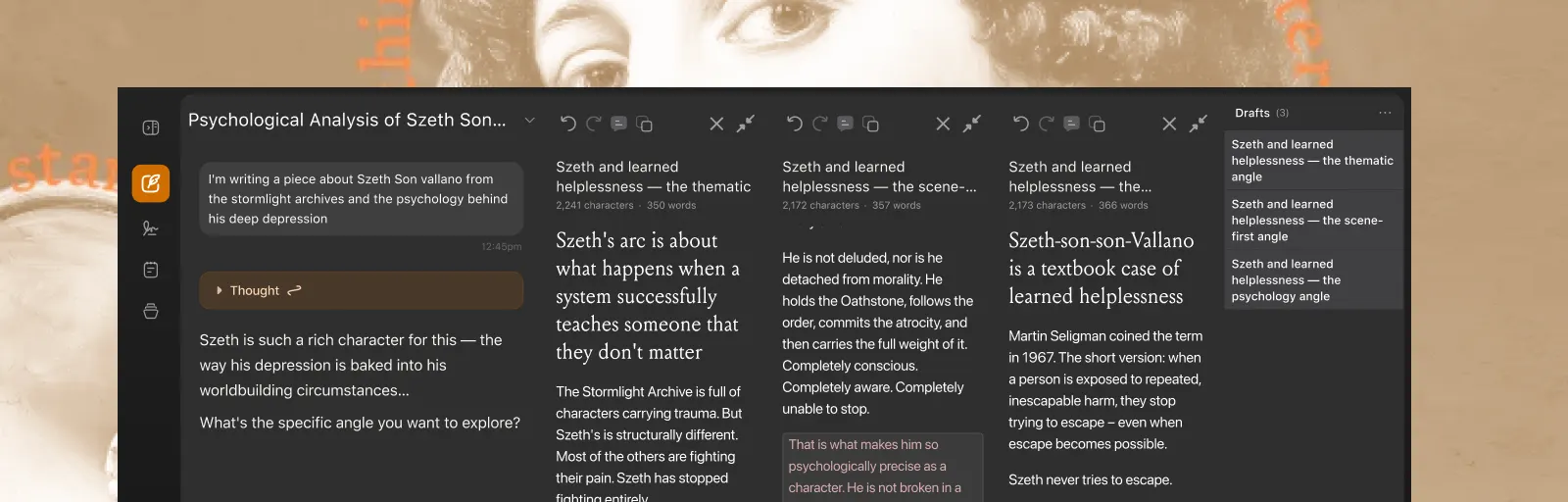
How might we make an AI writing tool feel less like an output viewer and more like a true writing co-pilot?
Spiral is an AI writing tool that helps people draft and refine long-form writing. The product already generated strong output, but the experience still felt more like reviewing finished text than actively writing alongside an AI.
I focused on two problems: helping writers stay locked into their flow, and making AI edits feel easier to review, accept, and refine.
Focus Mode
Writers often lose momentum when the interface asks them to jump between drafting, prompting, and reviewing. Focus Mode reduces chrome and keeps attention on the document itself.
The goal was simple: protect deep work. When you’re writing, the product should feel quiet enough to stay in the paragraph you’re shaping.
.png)
Quick Edits
Selecting text reveals a lightweight toolbar for common edits without leaving the page or opening a separate chat surface.
Quick edits keep revision local to the selection, so writers can tighten a sentence or adjust tone without breaking their place in the draft.
.png)
Rewrite from Draft Perspective
Beyond one-off edits, writers often need the AI to reshape a passage while staying true to the draft’s voice and intent.
This action reframes the selection through the draft’s perspective, so the rewrite feels continuous with what’s already on the page instead of like a generic regenerate.
.png)
.png)
Diffs
AI suggestions are only useful if writers can understand what changed. Diffs surface additions and removals clearly so edits can be accepted, rejected, or refined with confidence.
The review step is where co-piloting becomes real — writers stay in control of the final text.
.png)
Inline Notes
Comments let writers leave context on specific passages — for themselves, collaborators, or follow-up AI prompts — without leaving the document.
Creating and viewing notes stays anchored to the selection, so feedback lives next to the words it concerns.
.png)
.png)
See it in motion
A short walkthrough of the flows above — watch the Loom.